Threshold
The door opens for 3,000 people.
Field notes
A waitlist page where the sign-ups are the hero: a lit doorway that opens a little wider with every name, stirs as you type, swings wide when you join and floods the room with light on launch day. One raw WebGL2 shader, no three.js.
- WebGL shader
- Pointer interaction
- Dark theme
Threshold is the pre-launch page of Stillhall, a fictional inbox: a headline, an email form, a live count of places claimed and a countdown to opening day. Beside it a door stands ajar in the dark, and the lit gap grows with the list: every sign-up widens it for good. Typing nudges the door and flickers the light, a valid email brightens it, and joining swings it wide before it settles. Then the form turns into your place in line and an invite link, and the number counts down each time a friend you invited joins.
When the countdown ends, light pours out of the doorway and the page becomes the product's front door: "We're open. Come in." and a Get started button. Until someone moves the mouse or touches the page, it plays its own 10-second tour of all three states. The copy, launch date and numbers live in one file, your email backend plugs into two functions, and anyone who prefers reduced motion gets a still door that still follows the count.
How it's built
- One full-screen WebGL2 fragment pass draws everything behind the copy: the door frame, the lit gap on its latch side, two layers of glow, a wedge of light on the floor that widens toward the viewer and leans with the cursor, dust motes in the beam, the launch flood and a fixed grain.
- Everything on screen comes from one pure function of time and event timestamps. Keystrokes, the join, invites and the launch each add an envelope that rises and decays, and the door takes the largest, so any frame can be drawn on its own and frame 0 matches frame 10.
- The dust drifts 24 grid rows per loop over a grid that repeats every 24 rows, and the flicker runs a whole number of cycles per loop, so nothing jumps at the seam.
- The demo tour resets its state while the screen is solid cream, so the jump from the open door back to the empty form is never seen.
- The form, your place and the Get started button share one grid cell and cross-fade; each frame sets opacity, visibility and inert, so a hidden panel can't be tabbed into or read out by a screen reader.
Inside the prompt
Every file below is written out in full, so your agent creates the project exactly — no guessing, no missing pieces.
threshold-waitlist/
├─ .gitignore
├─ index.html
├─ package.json
├─ tsconfig.json
├─ vite.config.ts
└─ src/
   ├─ App.tsx
   ├─ config.ts
   ├─ index.css
   ├─ main.tsx
   ├─ vite-env.d.ts
   ├─ components/
   │  ├─ Countdown.tsx
   │  ├─ Hero.tsx
   │  ├─ JoinForm.tsx
   │  └─ Place.tsx
   └─ lib/
      ├─ dom.ts
      ├─ loop.ts
      ├─ motion.ts
      ├─ render.ts
      ├─ scene.ts
      ├─ shaders.ts
      ├─ time.ts
      ├─ timeline.ts
      └─ waitlist.ts
Recut it
- Rename the product and rewrite the copy
src/config.ts → PRODUCT / PITCH / OPEN_PITCH - Set the launch date, the goal and the starting count
src/config.ts → LAUNCH_AT / GOAL / START_COUNT - Connect your email backend
src/lib/waitlist.ts → join() / status() - Change how far an invite moves you up
src/config.ts → PLACES_PER_FRIEND - Change the colours and fonts
src/index.css + src/lib/shaders.ts → @theme / NIGHT, WARM, FRAME - Move or resize the door
src/lib/render.ts → door (in draw) - Retime the demo tour
src/lib/timeline.ts → TYPE / JOIN_AT / FRIENDS / LAUNCH / WHITE
Also in the vault
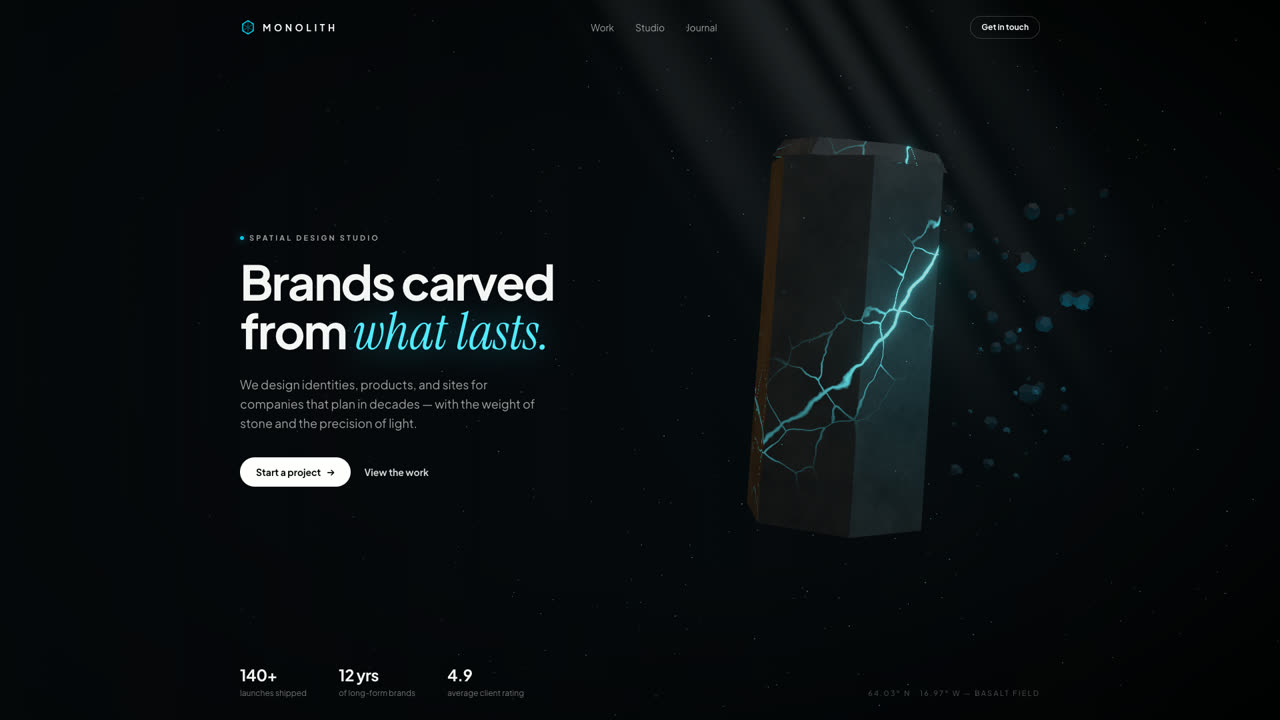
Monolith
Hero SectionA floating hexagonal basalt monolith split by glowing cyan fissures, with drifting debris, a light shaft, and pointer parallax. Procedural GLSL stone — no textures, no models, no network.
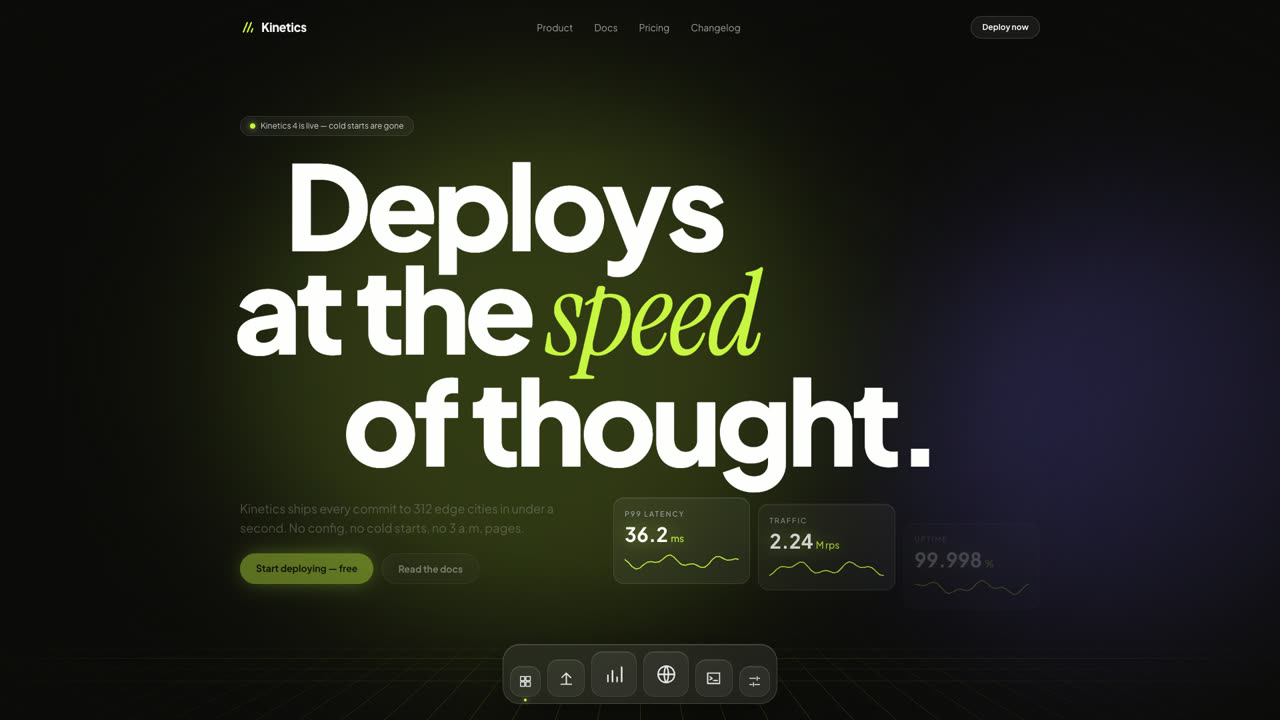
Kinetics
Hero SectionA dark SaaS hero where giant type slides with scroll inertia, glass stat cards tick like a live dashboard, and a frosted dock magnifies under the pointer. Pure DOM and Framer Motion — no canvas, no images.
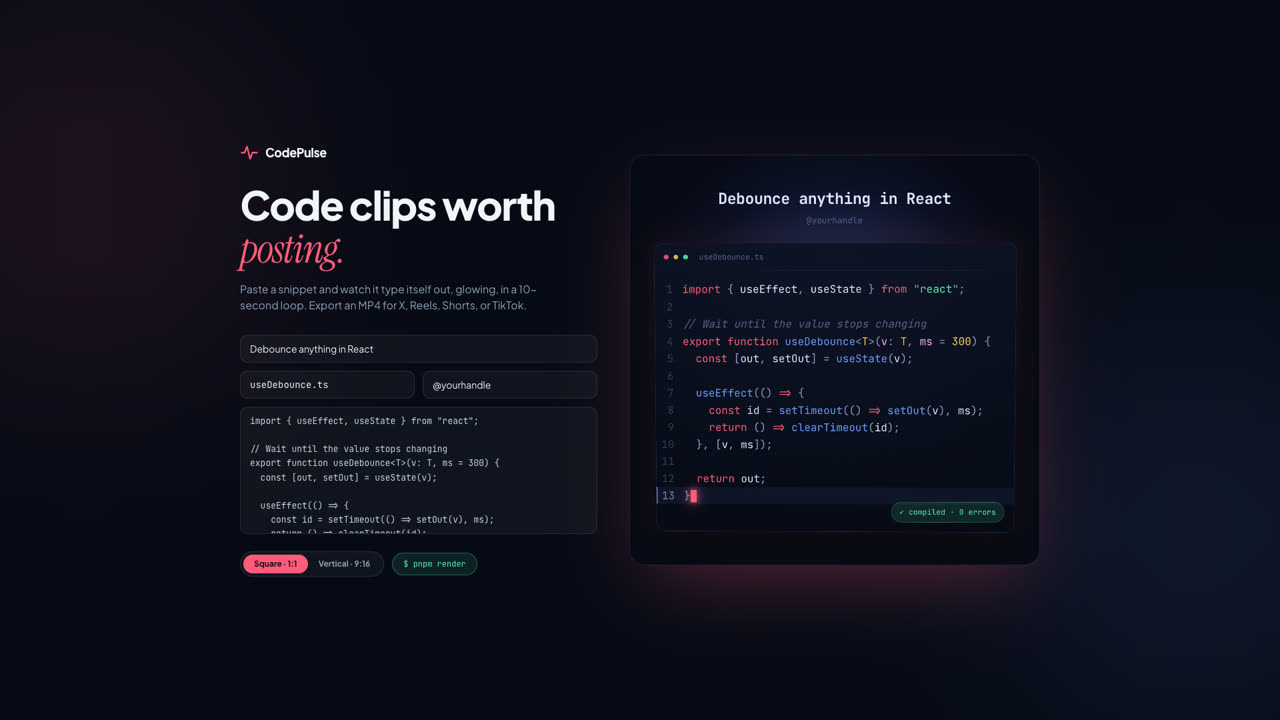
CodePulse
ToolPaste a snippet and export a glowing, typed-out code clip as MP4 — square for X, vertical for Reels, Shorts, and TikTok. A Remotion composition with VS Code-grade highlighting and a live browser preview.