Jukebox
Questions, on request.
Field notes
An FAQ page that is a late-'50s jukebox. Each question is a title strip: pick one and its record slides out of the row onto a tilted turntable, the arm swings in, and the answer lights up on the card. Drop a coin to shuffle, press reject to lift the needle.
- 3D
- Pointer interaction
- Dark theme
- SaaS
Jukebox is the help page of Pennywhorl, a fictional invoicing app. A chrome-arched jukebox glows pink in a dark room: ten records stand in a row behind the glass, and ten typewritten title strips sit on the front, A1 to B5. Pick a strip, or type its letter and number, and that record comes out of the row, crosses to the turntable, lies down and spins; the tonearm swings in and the answer appears on the lit card. Pick another and the first goes home before the next comes out. A coin in the slot shuffles, a flap counter turns over to the code, and reject lifts the needle.
There is no canvas: the box is HTML under CSS 3D transforms, so every question is a real button and every answer real text. Each pick writes the URL (#b3), so a support reply can link straight to an answer, and FAQPage structured data is built from the same list as the strips. On a phone the questions become a full-size list under the box and the answer opens under its question. A 12-second tour plays two records and ends where it began; reduced motion cuts instead of moving. Every word lives in one file, copy.ts.
How it's built
- One record moves at a time: the state names the record asked for and the one that was out when it was asked. The old record goes home from wherever it is, then the new one comes out, so p never jumps and two records are never off the row.
- A path in two phases from one number: the first half of the move brings the record toward the glass, the second carries it across and down onto a deck tilted 42 degrees toward the viewer, so the spinning label faces you.
- A coin that keeps time: a shuffle is a pick that takes effect half a second later, with the state it replaces kept until then. The old record plays on and the counter waits while the coin falls, and a strip pressed meanwhile simply wins.
- No canvas: the cabinet is DOM under preserve-3d and its front is one flat sheet of ordinary layout, so the strips are real buttons, the answer is real text, and the FAQPage structured data is built from the same list.
- One frame from one clock: the state keeps when things happened, never how far along they are. The tour plays two records and rejects the second, so second 12 equals second 0, and the first touch adopts it mid-motion.
Inside the prompt
Every file below is written out in full, so your agent creates the project exactly — no guessing, no missing pieces.
jukebox-faq/
├─ .gitignore
├─ check.ts
├─ index.html
├─ package.json
├─ tsconfig.json
├─ vite.config.ts
└─ src/
   ├─ App.tsx
   ├─ index.css
   ├─ main.tsx
   ├─ vite-env.d.ts
   ├─ components/
   │  ├─ Copy.tsx
   │  ├─ Jukebox.tsx
   │  └─ Strips.tsx
   └─ lib/
      ├─ copy.ts
      ├─ live.ts
      ├─ loop.ts
      ├─ pose.ts
      ├─ time.ts
      └─ timeline.ts
Recut it
- Replace the questions, the product name and every string
src/lib/copy.ts + index.html → FAQ / PRODUCT / COPY / <title> - Change a record's label colour
src/lib/copy.ts → FAQ[].label - Retime the record, the arm, the coin or the counter
src/lib/timeline.ts → LOAD, UNLOAD, SPIN, COIN, FLIP - Reshape the record's path or the deck
src/lib/pose.ts → ROW, DECK, OUT, HOP, ARM - Change the tour
src/lib/timeline.ts → TOUR - Recolour the room, the cabinet and the strips, or change the fonts
src/index.css + index.html → @theme - Change the camera angle or the sway
src/components/Jukebox.tsx → VIEW - Move the structured data into a server-rendered head
src/main.tsx → faqJsonLd()
Also in the vault
Monolith
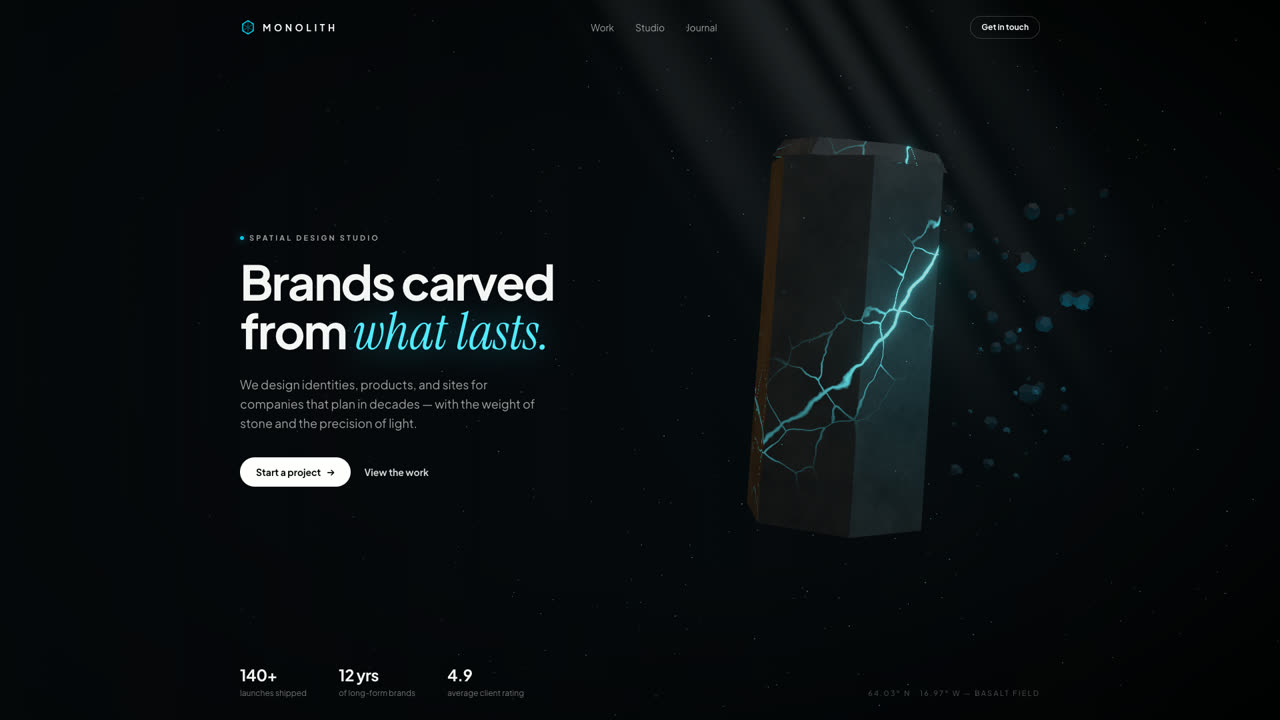
Hero SectionA floating hexagonal basalt monolith split by glowing cyan fissures, with drifting debris, a light shaft, and pointer parallax. Procedural GLSL stone — no textures, no models, no network.
Kinetics
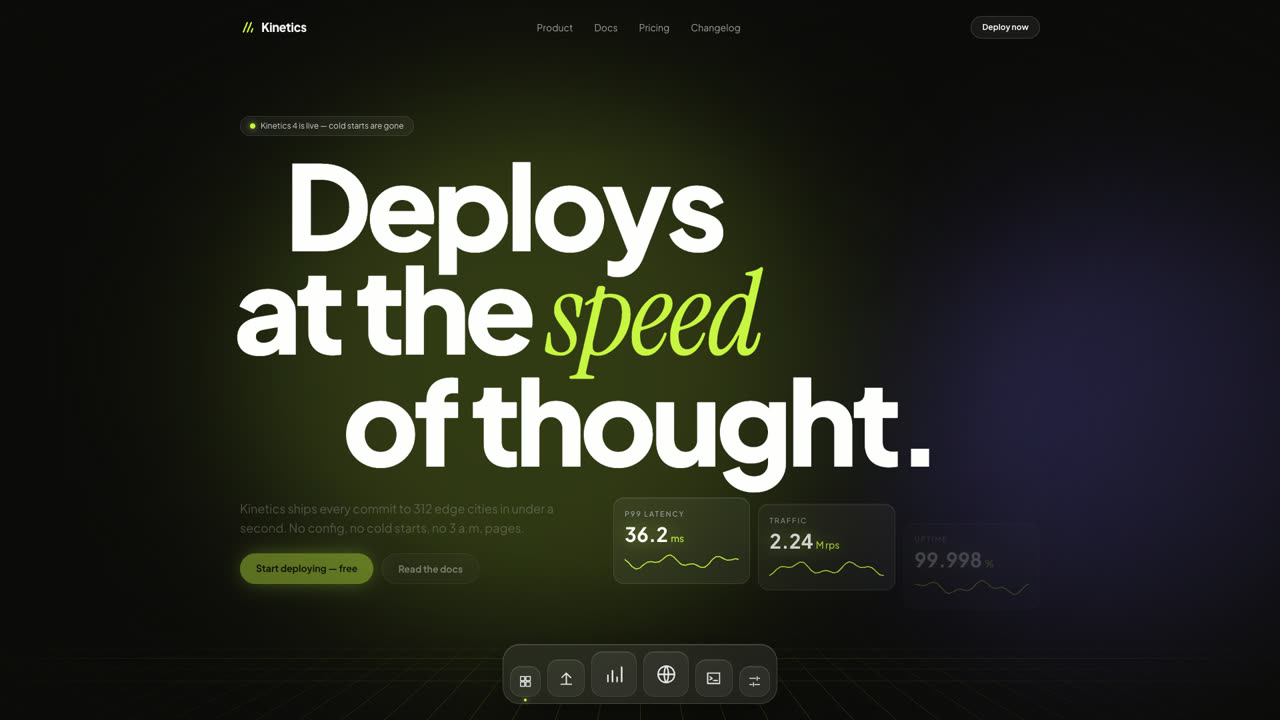
Hero SectionA dark SaaS hero where giant type slides with scroll inertia, glass stat cards tick like a live dashboard, and a frosted dock magnifies under the pointer. Pure DOM and Framer Motion — no canvas, no images.
CodePulse
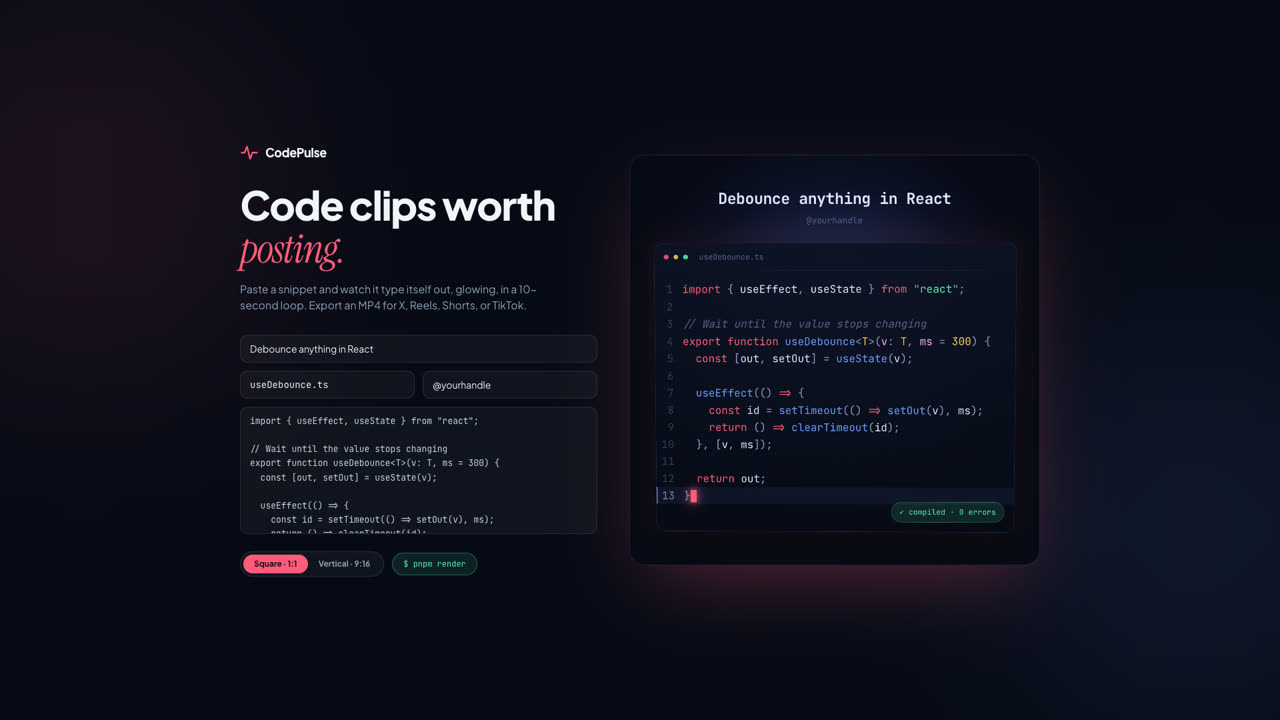
ToolPaste a snippet and export a glowing, typed-out code clip as MP4 — square for X, vertical for Reels, Shorts, and TikTok. A Remotion composition with VS Code-grade highlighting and a live browser preview.