Halftone
Every diff, explained.
Field notes
A dark devtool hero whose artwork is printed live by a shader: a 3D object rendered as 1-bit dither, halftone dots or ASCII, with a wipe between modes and light that follows the pointer. Two tones and one accent, no purple. No images, no video.
- WebGL shader
- Pointer interaction
- Developer tool
- Dark theme
Halftone is a hero for a fictional AI code-review tool, built to look nothing like the purple-gradient AI default. A lumpy sphere with a thin ring and an orange moon turns beside the headline, and it is never drawn smoothly: a second shader pass prints it as 1-bit ordered dither, as round halftone dots on a 30° screen, or as ASCII characters, with a diagonal wipe and an orange line between modes.
Visitors switch modes from the Render control and steer the light with the pointer. Until they touch anything, the page runs a 12-second demo that shows all three. The object is raymarched in the shader and the characters come from a small glyph atlas drawn at load, so there are no images, models or video, and swapping the palette means changing three colours.
How it's built
- Render low, print high: the object is raymarched into a target a third of the screen's size, then a second pass prints every screen pixel from it. Brightness rides in the red channel, and green flags the moon so it always prints in the accent.
- Three print modes in one shader: Bayer 8×8 ordered dither, halftone dots on a rotated 30° grid sized by the square root of brightness, and ASCII from a ten-glyph atlas drawn after the mono font loads.
- A wipe with a front: every pixel checks which side of a moving diagonal it's on and prints in the old or new mode, and a thin accent line marks the edge.
- No speckle on black: the Bayer threshold is offset by half a step, since the matrix's zero cell would otherwise switch on at zero brightness and dot the whole page.
Inside the prompt
Every file below is written out in full, so your agent creates the project exactly — no guessing, no missing pieces.
halftone-hero/
├─ .gitignore
├─ index.html
├─ package.json
├─ tsconfig.json
├─ vite.config.ts
└─ src/
   ├─ App.tsx
   ├─ index.css
   ├─ main.tsx
   ├─ vite-env.d.ts
   ├─ components/
   │  ├─ Halftone.tsx
   │  ├─ Hero.tsx
   │  └─ Scene.tsx
   └─ lib/
      ├─ glyphs.ts
      ├─ loop.ts
      └─ modes.ts
Recut it
- Rename the product and rewrite the pitch
src/components/Hero.tsx → Hero() - Swap the ink, paper and accent colours
src/components/Halftone.tsx → uInk / uPaper / uAccent - Change the object: shape, ring, moon
src/components/Halftone.tsx → sceneShader map() - Make the dots, dither cells or characters bigger
src/components/Halftone.tsx → printShader dither() / halftone() / ascii() - Use a different ASCII ramp
src/lib/glyphs.ts → RAMP - Retime the demo or the wipe
src/lib/modes.ts → scriptedWipe()
More in Hero Section
All hero section templates →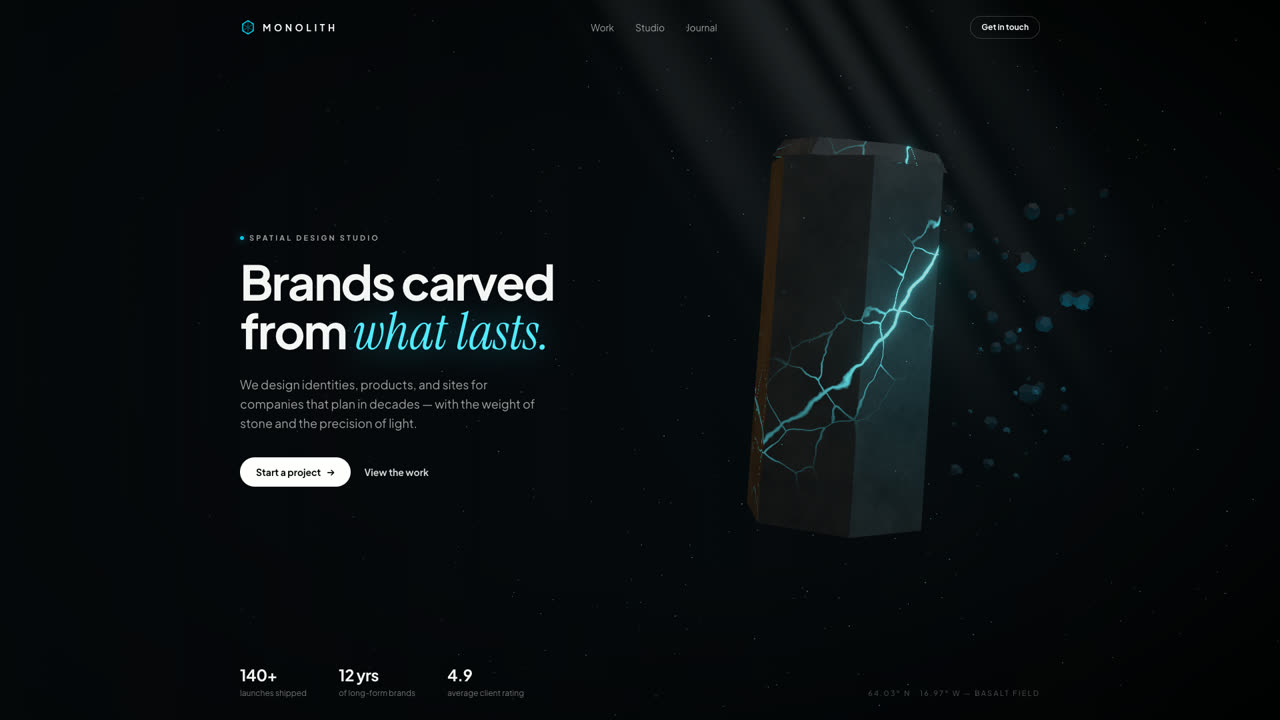
Monolith
Hero SectionA floating hexagonal basalt monolith split by glowing cyan fissures, with drifting debris, a light shaft, and pointer parallax. Procedural GLSL stone — no textures, no models, no network.
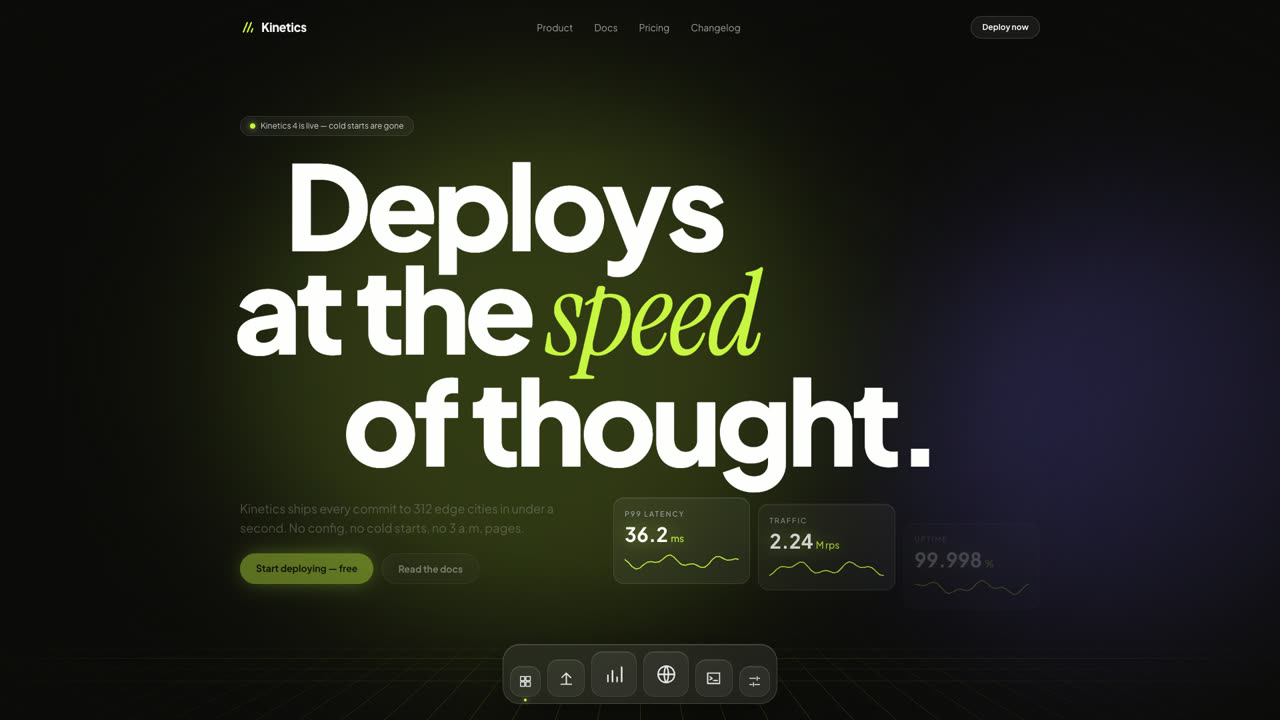
Kinetics
Hero SectionA dark SaaS hero where giant type slides with scroll inertia, glass stat cards tick like a live dashboard, and a frosted dock magnifies under the pointer. Pure DOM and Framer Motion — no canvas, no images.
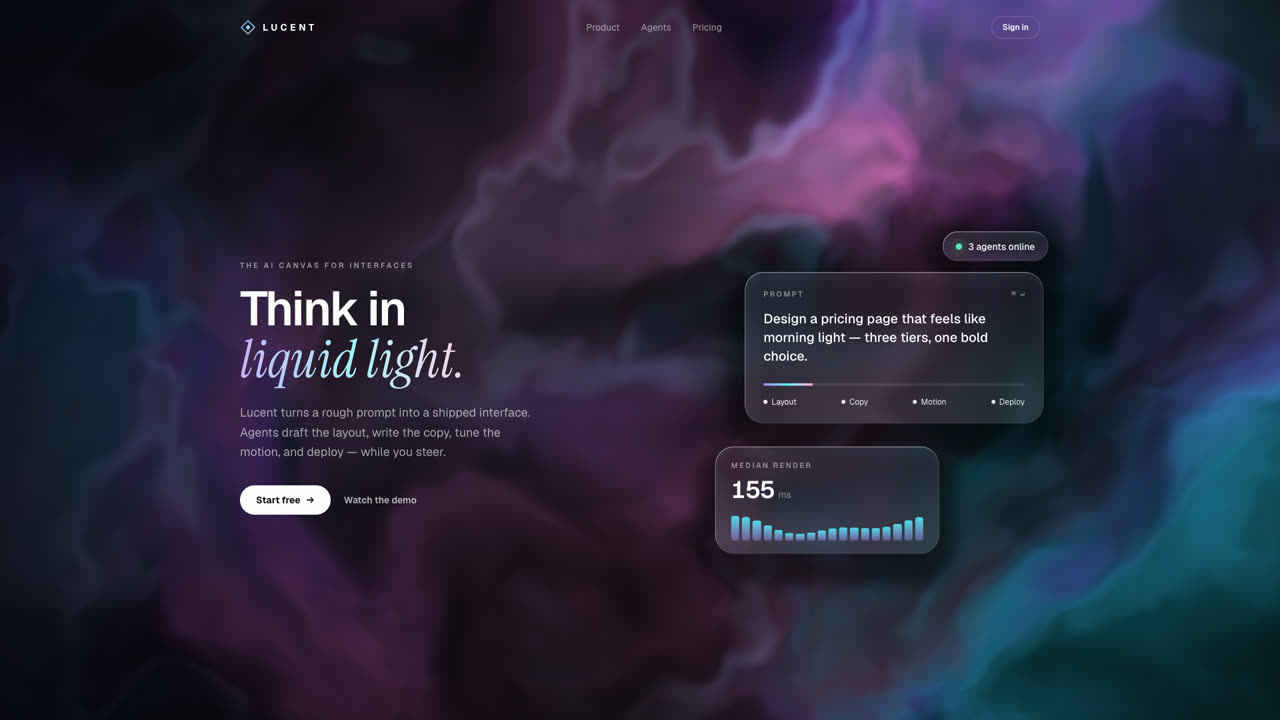
Refract
Hero SectionAn aurora of violet, cyan, and pink light flows behind frosted glass cards whose rims bend it like a lens. One raw WebGL2 shader, no three.js, and the glass follows whatever the DOM lays out.